
What Is SaaS and How It Benefits Businesses? A 2026 Breakdown
Software as a Service (SaaS) is a cloud-based delivery model where software is licensed on a subscription basis and centrally hosted by a vendor. Its primary benefit for businesses is transforming a large, upfront capital expenditure (CapEx) for on-premise software into a predictable operational expenditure (OpEx). This model offers superior scalability, accessibility from any internet-connected device, and eliminates the business’s burden of hardware maintenance and software updates, which are handled entirely by the provider.
This guide breaks down exactly what SaaS is and how it benefits businesses, moving from core definitions to practical implementation challenges. We’ll cover the distinctions between SaaS, PaaS, and IaaS, explore the financial and operational advantages, and examine future trends like AI integration. For businesses looking to build a digital footprint, understanding this model is not optional; it’s a fundamental component of modern strategy, as critical as the branding and SEO that bring customers to your door.

Core Concepts and Definitions
What is Software as a Service (SaaS) in simple terms?
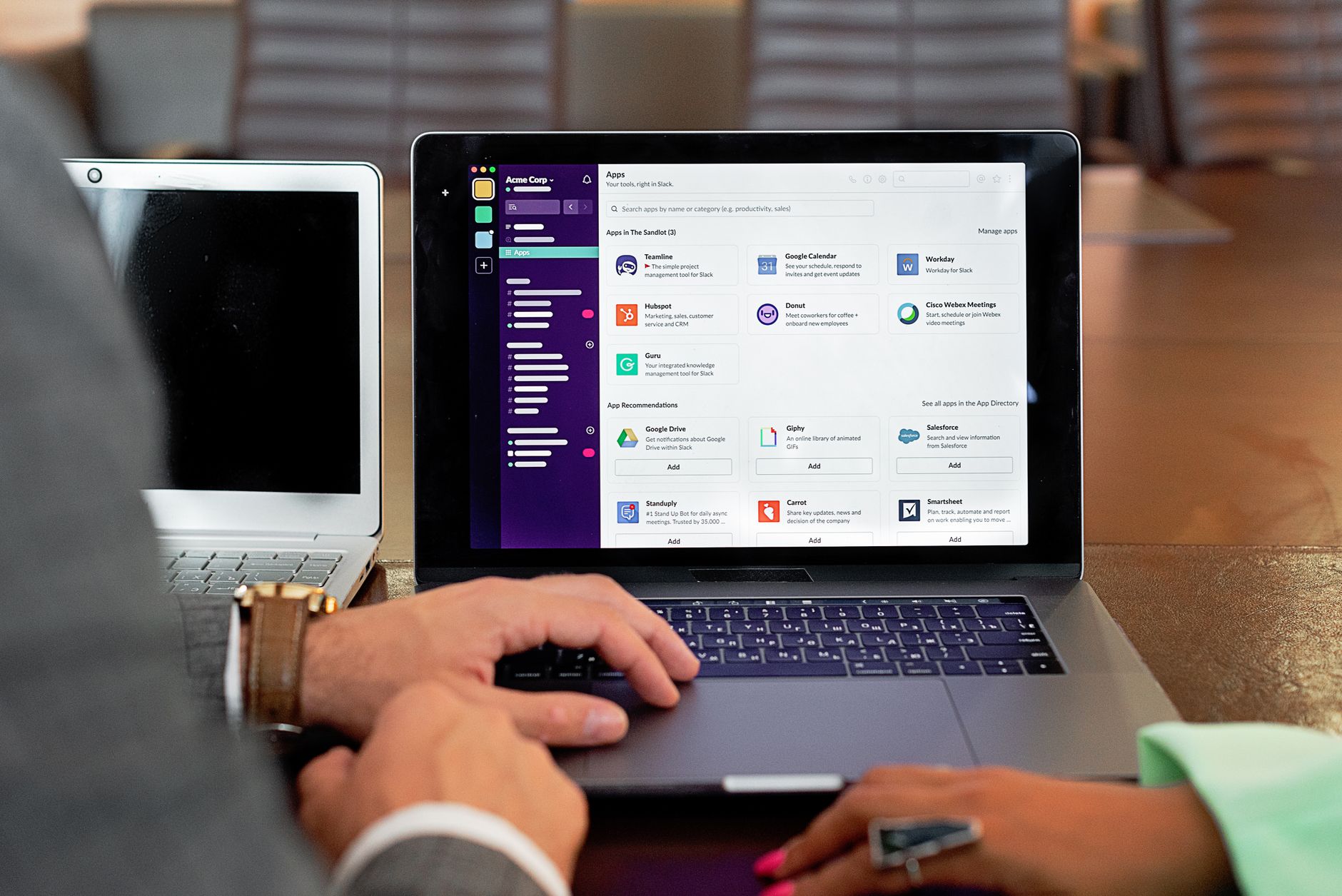
Software as a Service (SaaS) is a way of delivering applications over the Internet, as a service. Instead of installing and maintaining software, you simply access it via the Internet, freeing yourself from complex software and hardware management. A common analogy is the difference between owning a car (on-premise software) and using a ride-sharing service like Uber (SaaS). With the car, you’re responsible for purchase, insurance, fuel, and maintenance. With the ride-sharing service, you just pay for the ride you need, and the provider handles everything else. This model is what powers familiar tools like Gmail, Slack, and Salesforce.
How does the SaaS model actually work?
The SaaS model works by having an independent software vendor (ISV) or application service provider (ASP) host an application on its own servers. The vendor makes the application available to customers over the internet, typically through a web browser. The architecture is usually multi-tenant, meaning a single instance of the software serves multiple customers. Each customer’s data is segregated and kept secure. The vendor manages all aspects of the service: the application itself, the runtime, data, middleware, operating systems, servers, storage, and networking. The customer only pays a subscription fee, monthly or annually, to use the software.
What’s the difference between SaaS, PaaS, and IaaS?
SaaS, PaaS (Platform as a Service), and IaaS (Infrastructure as a Service) are the three main categories of cloud computing. Think of them as a stack of services.
- IaaS (Infrastructure as a Service) provides the fundamental building blocks: virtual servers, storage, and networking. It’s like leasing the land and utilities; you still need to build the house. Examples include Amazon Web Services (AWS) EC2 and Google Compute Engine.
- PaaS (Platform as a Service) provides the platform for building applications. It includes the infrastructure (IaaS) plus operating systems and development tools. It’s like leasing a fully equipped workshop. Examples are Heroku and Google App Engine.
- SaaS (Software as a Service) is the complete, ready-to-use application. It’s like renting a fully furnished house. This is the model for tools like Dropbox and Zoom. A guide from Red Hat offers a detailed technical comparison of these cloud service models.
Key Business Benefits
What are the main cost benefits of using SaaS?
The most significant cost benefit is the shift from Capital Expenditure (CapEx) to Operating Expenditure (OpEx). Instead of a massive upfront investment in software licenses and server hardware, businesses pay a predictable monthly or annual fee. This eliminates the need for a large initial budget and makes powerful software accessible to startups and SMBs. It also reduces costs associated with hiring a large IT team for installation, maintenance, and troubleshooting. According to an AppDirect analysis, SaaS can lower the total cost of ownership by removing expenses tied to hardware, energy consumption, and physical space.
How does SaaS improve business scalability?
SaaS applications are inherently scalable. Since the software is hosted in the cloud, providers can easily adjust resources based on your needs. If your user base grows from 10 to 1,000 employees, you can typically upgrade your subscription plan with a few clicks. There’s no need to procure and provision new servers, which could take weeks or months with an on-premise solution. This elasticity works both ways; you can also scale down during slower periods, ensuring you only pay for what you use. This agility is crucial for growing businesses that experience fluctuating demand.
Why is SaaS more accessible than traditional software?
Accessibility is a core feature of SaaS. Because the applications are delivered via a web browser, users can access them from any device with an internet connection. Be it a desktop in the office, a laptop at home, or a smartphone on the go. This universal access is a key enabler for remote and hybrid work models. It eliminates compatibility issues, as the software isn’t tied to a specific operating system or machine. As long as the browser is reasonably modern, the experience is consistent for all users, simplifying IT support and user onboarding.
Who handles maintenance and updates for SaaS applications?
The SaaS vendor handles all maintenance, bug fixes, and feature updates. This is a massive operational benefit for businesses. Your IT team is no longer responsible for patching security vulnerabilities or managing complex version-upgrade projects. Updates are rolled out centrally and automatically by the provider, often without any downtime. This ensures that your entire team is always using the latest, most secure version of the software without any effort on your part. This was a key consideration for our client Jaora, where building a professional presence from day one required reliable tools that didn’t demand a dedicated internal IT support team.
Implementation and Strategy
How does SaaS compare to on-premise software?
The primary difference is ownership and responsibility. With on-premise software, you buy a license, host it on your own servers, and are responsible for all maintenance, security, and updates. With SaaS, you subscribe to a service that is hosted and managed entirely by the vendor. This translates to lower upfront costs, faster deployment, and reduced IT overhead for SaaS. However, on-premise solutions can offer greater control and customization, which may be necessary for companies in highly regulated industries with specific data residency or security requirements that a multi-tenant SaaS cannot meet.
The best SaaS tool isn’t the one with the most features. It’s the one your team will actually use without needing a six-week training course.
What are some common examples of SaaS applications?
You likely use several SaaS applications every day. The model has permeated nearly every category of business and consumer software. Some prominent examples include:
- Customer Relationship Management (CRM): Salesforce, HubSpot
- Collaboration & Communication: Slack, Microsoft Teams, Zoom
- Enterprise Resource Planning (ERP): NetSuite, SAP S/4HANA Cloud
- Project Management: Asana, Trello, Jira
- File Storage & Sharing: Dropbox, Google Drive
- Marketing Automation: Mailchimp, Marketo
These platforms exemplify the SaaS model of subscription-based, centrally-hosted software accessible anywhere.
What are the potential downsides of relying on SaaS?
Despite the benefits, SaaS introduces several challenges. Vendor lock-in is a primary concern; migrating data and workflows from one proprietary system to another can be complex and expensive. Data security is another issue; while reputable vendors have robust security, you are ultimately entrusting your sensitive company data to a third party. A business must perform due diligence on a vendor’s security protocols and compliance certifications. Finally, SaaS is dependent on a stable internet connection. If your internet goes down, your access to these critical business tools goes with it, creating a single point of failure.
Vendor lock-in isn’t a hypothetical risk; it’s a strategic debt you accrue with every proprietary feature you build your processes around.
How do you choose the right SaaS solution for your business?
Choosing the right SaaS starts with a deep understanding of your business needs, not the software’s feature list. First, clearly define the problem you are trying to solve and the key workflows involved. Next, evaluate potential vendors based on criteria like security (SOC 2 compliance is a good benchmark), scalability, integration capabilities (APIs), and customer support. Run a pilot program or a free trial with a small group of end-users to gather real-world feedback. Pay close attention to the user interface and overall ease of use. Low adoption can render even the most powerful tool useless. Finally, analyze the total cost of ownership, not just the subscription price.
How do APIs make SaaS products more valuable?
Application Programming Interfaces (APIs) are the glue of the modern software ecosystem. They allow different SaaS applications to communicate and share data with each other, dramatically increasing their value. For example, an API can connect your e-commerce platform (Shopify) to your accounting software (QuickBooks) and your email marketing tool (Mailchimp). This automates workflows, eliminates manual data entry, and creates a single source of truth for your business data. When evaluating a SaaS product, a well-documented and robust API is often as important as the core features of the application itself.
Can you customize SaaS applications?
Customization options in SaaS vary widely. Most SaaS applications offer configuration options, allowing you to tailor fields, workflows, and reports to your needs without changing the underlying code. Some advanced platforms, like Salesforce, provide development environments where you can build significant custom functionality on top of the core service. For businesses with truly unique requirements, another path is building a custom solution. As part of our Web & Software Development services, we often build custom SaaS platforms for clients when off-the-shelf products don’t provide the necessary functionality or integration for their specific business model.
How can a business calculate the ROI of a SaaS investment?
Calculating the Return on Investment (ROI) for a SaaS tool requires looking beyond the subscription fee. You must quantify both cost savings and revenue gains. On the cost side, calculate savings from eliminated hardware, reduced IT staff hours for maintenance, and lower energy consumption. On the revenue side, measure gains from increased employee productivity, faster sales cycles, improved customer retention, or reduced errors. For example, if a new project management tool saves each of 20 employees 2 hours per week, that’s 40 hours of productive time reclaimed. Compare these total financial benefits against the total cost of the subscription over a specific period, typically one year.

Advanced Topics and Future Trends
How is AI changing the SaaS landscape in 2026?
Artificial Intelligence is no longer a buzzword; it’s a core feature in modern SaaS. In 2026, AI is being used to automate repetitive tasks, provide predictive analytics, and create personalized user experiences. For instance, CRM platforms use AI to score leads and predict customer churn. Collaboration tools use AI to summarize meetings and suggest action items. A 2024 IBM report highlights that generative AI is a top priority for CEOs in enhancing SaaS offerings. This integration is moving SaaS from being a passive tool to an active partner in business decision-making.
What is the role of low-code/no-code in SaaS?
Low-code/no-code (LCNC) platforms are a type of SaaS that allows non-technical users to build and deploy applications using visual drag-and-drop interfaces instead of traditional programming. This trend is democratizing software development. Businesses can rapidly create custom internal tools, automate workflows, or build customer-facing portals without hiring a team of developers. Platforms like Airtable and Zapier empower ‘citizen developers’ within business departments to solve their own problems, significantly speeding up innovation and reducing the backlog for professional IT teams. It’s a powerful extension of the SaaS philosophy: abstracting away technical complexity.
How big is the SaaS market?
Measuring the full scope of the global SaaS market is complex, but reports show significant growth. One analysis pointed to a market value of US$280.19 billion in 2023, with projections suggesting it could reach US$793.10 billion by 2029. While specific figures vary between reports, the trajectory is clear: adoption is accelerating across every industry in regions like the United States and worldwide. This growth is driven by the model’s proven benefits in cost-efficiency, scalability, and business agility, making it the default delivery model for new software.
How does SaaS help with business management and operations?
SaaS tools are central to modern business management. Enterprise Resource Planning (ERP) systems like NetSuite manage core business processes, from finance and HR to supply chain, all from a unified platform. Project management tools like Asana provide visibility into tasks and deadlines, improving team collaboration and accountability. HR platforms like Workday streamline everything from payroll to performance reviews. By consolidating these functions into accessible, integrated cloud platforms, SaaS provides managers with real-time data and control over their operations, whether their team is in one office or distributed globally.
Can SaaS tools improve data analytics and business intelligence?
Yes, this is one of the most powerful applications of SaaS. Business Intelligence (BI) platforms like Tableau or Microsoft Power BI connect to your various data sources (including other SaaS apps), allowing you to create interactive dashboards and reports. These tools make sophisticated data analysis accessible without needing a data scientist. You can track key performance indicators (KPIs), identify trends, and drill down into data to understand business performance. Because the data and processing are in the cloud, these platforms can handle massive datasets and provide insights far more quickly than traditional spreadsheet-based analysis.
What are the advantages of SaaS for end-users?
For the individual employee or customer, SaaS offers a far simpler experience than traditional software. The main advantage is ease of use and zero installation. Users can get started right away from any browser. Automatic updates mean they always have the best new features and security patches without having to do anything. Furthermore, SaaS promotes compatibility and collaboration; since everyone is on the same version of the software, sharing a file or collaborating on a document with a colleague using Google Docs is a frictionless experience, a stark contrast to the version conflicts of the past.
Related Topics
- saas website design best practices
- benefits of fast loading website seo
- custom web design benefits businesses
Frequently Asked Questions
Is my data safe in the cloud with a SaaS provider?
Reputable SaaS providers invest heavily in security, often more than an individual business can afford. They typically use advanced encryption, redundant backups, and are audited for compliance with standards like SOC 2 and ISO 27001. However, the responsibility is shared. You must vet your vendor’s security practices, use strong passwords, and manage user access permissions carefully. No system is impenetrable, but for most businesses, storing data with a major SaaS vendor is more secure than managing it on an in-house server.
What happens to my data if I cancel my SaaS subscription?
Most SaaS providers have a data export policy. Typically, you will have a grace period (e.g., 30-90 days) after cancellation during which you can download your data, usually in a common format like CSV or XML. It is critical to read the service-level agreement (SLA) and terms of service before signing up to understand the provider’s specific data portability and retention policies. Do not assume you can easily retrieve your data in a usable format after your account is terminated.
What is the difference between a monthly and an annual SaaS plan?
Monthly plans offer flexibility, allowing you to cancel with only 30 days’ notice. They are ideal for short-term projects or for testing a new tool. Annual plans require a one-year commitment but almost always come with a significant discount, typically 10-20% compared to the monthly rate. Businesses that have vetted a tool and plan to use it long-term usually opt for an annual plan to reduce costs. The choice depends on your confidence in the tool and your budget’s cash flow.
Are all SaaS applications web-based?
While the vast majority of SaaS applications are accessed through a web browser, it’s not a strict requirement. Many providers also offer dedicated desktop and mobile applications that sync with the cloud. Tools like Slack and Dropbox have popular desktop clients that offer native notifications, offline access capabilities, and deeper integration with the operating system. However, even with these native apps, the core processing and data storage still happen on the vendor’s cloud servers, maintaining the central benefits of the SaaS model.
Can a small business build its own SaaS product?
Yes, building a custom SaaS application is more accessible than ever, but it is a significant undertaking. It requires expertise in Web & Software Development, including front-end and back-end programming, database management, and cloud infrastructure. While it offers complete control, the costs of development, ongoing maintenance, and security are substantial. Before deciding to build, a business should exhaustively evaluate if an existing SaaS product or a combination of integrated tools can meet its needs at a lower cost and risk.
Understanding the SaaS model is key to making informed technology decisions that can lower costs and increase agility for your business. Whether you’re adopting existing tools or considering building your own, the right strategy can provide a significant competitive advantage. If you’re exploring how a custom web platform can fit into your growth plans, you can book a discovery call with our team to discuss your project.