
Is your idea of building a website still stuck in 2005, picturing someone hunched over a keyboard, typing endless lines of cryptic code? Forget that. Today, creating a professional website is less about raw coding and more about smart planning and choosing the right tools. To get started with website development for beginners, you need a clear goal for what your site must achieve, an understanding of your target audience, and a realistic budget. This isn’t just about making something that looks good; it’s about building a digital asset that works for your business. By the end of this guide, you will have a step-by-step framework to plan, build, and launch your first website successfully.
Prerequisites: Before You Write a Single Line of Code
Before you even think about domain names or color schemes, you need to lay the groundwork. Skipping this phase is like trying to build a house without a blueprint. It’s a guaranteed path to costly rework and a final product that misses the mark.
- Define Your Goal: What is the single most important action you want a visitor to take? Is it to buy a product, fill out a contact form, subscribe to a newsletter, or read your content? This primary goal dictates the entire structure and design. For an e-commerce site, the goal is a sale. For a consultant, it’s a lead. Be specific.
- Identify Your Audience: Who are you building this for? A site for retirees learning a new hobby will look and function very differently from a SaaS platform for software developers. Consider their technical skills, expectations, and how they find information online. According to a 2023 report from the Content Marketing Institute, understanding the audience’s needs and priorities is a top challenge for marketers, so get this right first.
- Set a Budget: Your budget determines your options. A custom-coded masterpiece is a different conversation than a templated site builder. Factor in costs for hosting, domain names, premium plugins or themes, and potentially professional design or development help. A simple brochure site might cost a few hundred dollars per year, while a complex custom build can easily be tens of thousands. Be realistic about your resources.
1. Define Your Website’s Scope and Features
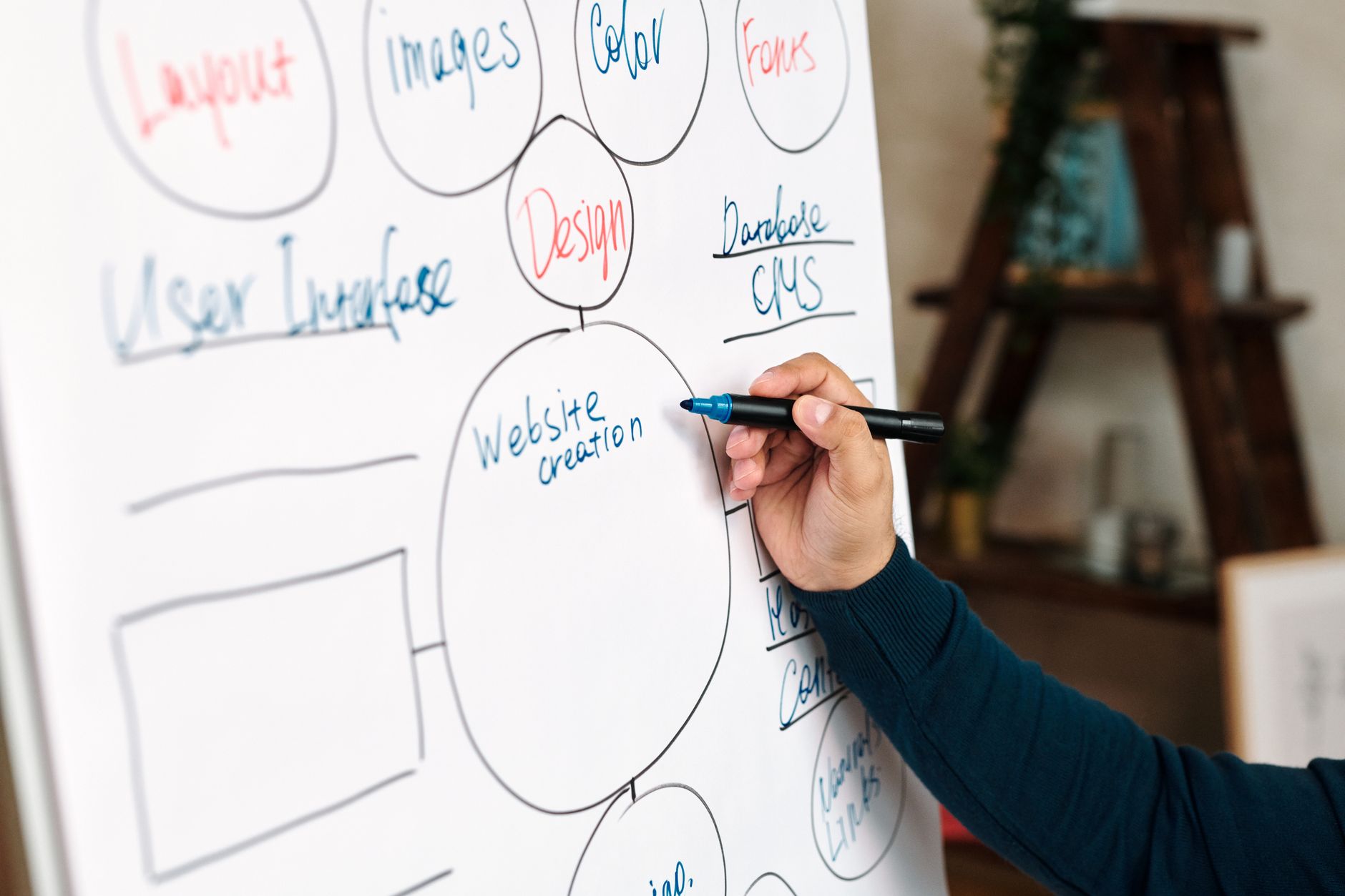
With your core goal defined, it’s time to list every feature and piece of content your site needs to achieve it. This isn’t a vague wishlist; it’s a functional specification. Start with the basics that nearly every site needs: a homepage, an about page, a contact page, and a blog or news section. Then, add features specific to your goal. If you’re building one of our typical e-commerce stores, your list must include product pages, a shopping cart, a checkout system, and user account management.
A great way to organize this is with a simple spreadsheet. List each page or feature, a brief description of its purpose, and any specific requirements. For example:
- Page: Contact Page
- Purpose: Allow users to send a message to the business.
- Features: Contact form (with name, email, message fields), business address, phone number, and an embedded Google Map.
This document, often called a “scope of work,” becomes your guide. It prevents “scope creep,” where new ideas and features endlessly derail your launch.
2. Choose Your Website Platform
| Attribute | CMS (e.g., WordPress) | Website Builder (e.g., Wix) | Custom Code | |
|---|---|---|---|---|
| Complexity | Moderate | Low | High | |
| Cost (Initial) | Moderate | Low | High | |
| Flexibility | Good | Limited | Maximum | |
| Control | High | Moderate | Full | |
| Learning Curve | Moderate | Low | High | |
| Scalability | Good | Limited | Excellent |
This is the most critical technical decision you’ll make. It dictates how you build, manage, and scale your site. Your three main options are website builders, content management systems (CMS), and custom-coded solutions.
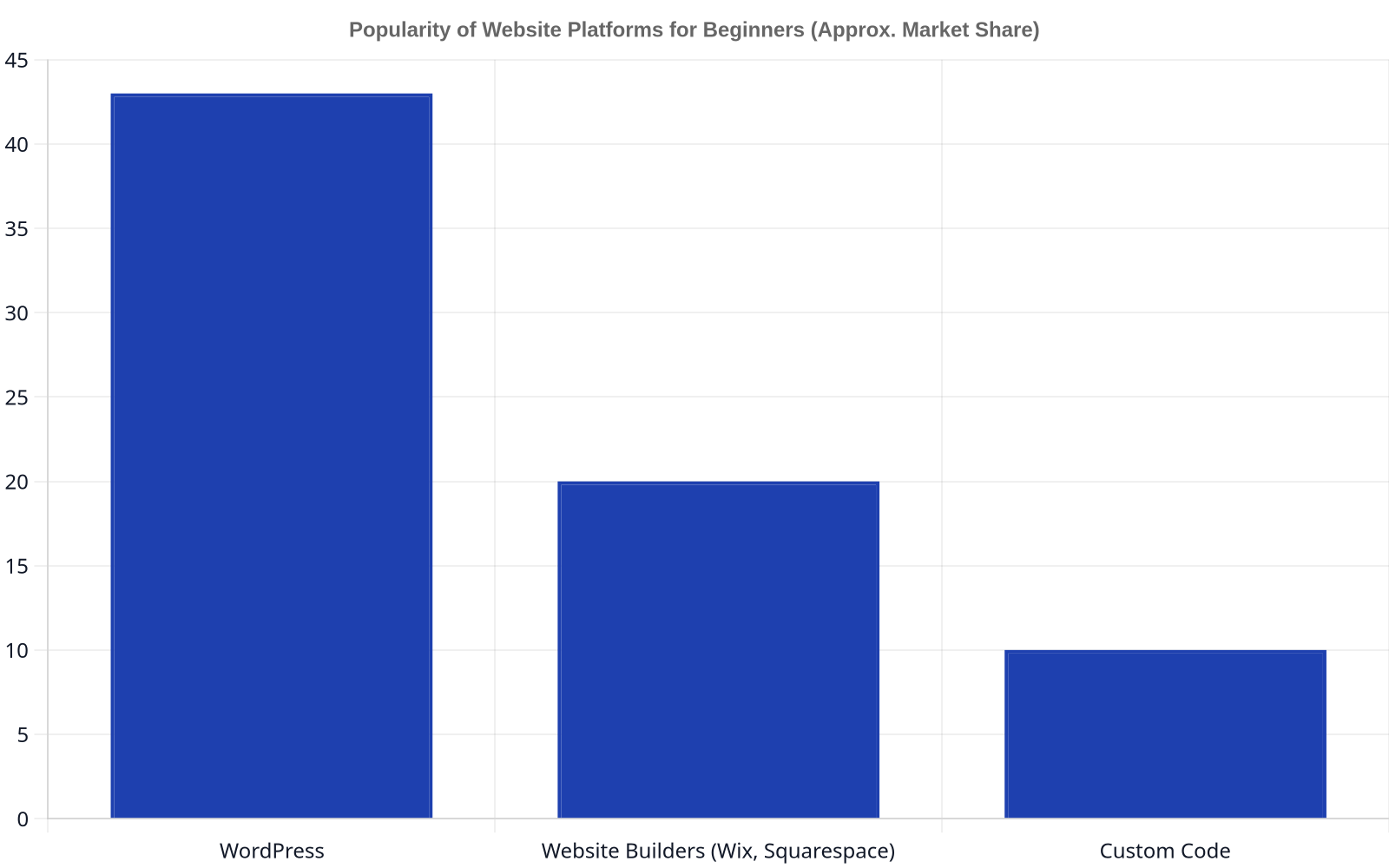
- Website Builders (e.g., Squarespace, Wix): These are the most beginner-friendly. They offer drag-and-drop interfaces, pre-designed templates, and all-in-one packages that include hosting. The trade-off is a lack of control. You are limited by the platform’s features and can’t easily move your site elsewhere. Website builders like Squarespace and Wix power millions of websites on the internet, making them a popular entry point.
- Content Management Systems (e.g., WordPress): A CMS offers a balance of flexibility and ease of use. WordPress, in particular, powers over 43% of all websites, . It’s an open-source platform with a massive ecosystem of themes and plugins. You’ll have more control than with a builder, but also more responsibility for security, updates, and hosting.
- Custom-Coded: This involves building a site from scratch using languages like HTML, CSS, JavaScript, and a backend language like Python or PHP. It offers unlimited flexibility but requires significant technical expertise and is the most expensive and time-consuming option. This is the realm of complex SaaS platforms and highly specialized business applications. Our team focuses on this type of Web & Software Development for clients who need solutions that can scale and perform without the constraints of off-the-shelf products.
For most beginners, a CMS like WordPress is the sweet spot. It offers a path to learn and grow without the rigid limitations of a builder.
3. Select a Domain Name and Hosting
A domain name is your website’s address on the internet (e.g., Dynareach.co). Hosting is the service that stores your website’s files and makes them accessible to visitors. Often, you can purchase both from the same provider, like Hostinger or GoDaddy.
When choosing a domain name:
- Keep it short and memorable.
- Make it easy to spell and pronounce.
- Use a common extension like
.comif possible, as it carries the most trust. - Avoid numbers and hyphens.
For hosting, you’ll typically start with “shared hosting.” It’s the most affordable option, where your site shares server resources with other websites. It’s perfectly adequate for new sites with low to moderate traffic. As your site grows, you can upgrade to a Virtual Private Server (VPS) or dedicated hosting for more power and control.
Don’t over-optimize this decision. A good-enough domain name you secure today is better than the perfect one you spend three weeks searching for. The goal is to get moving.
4. Plan Your Website’s Structure and Navigation
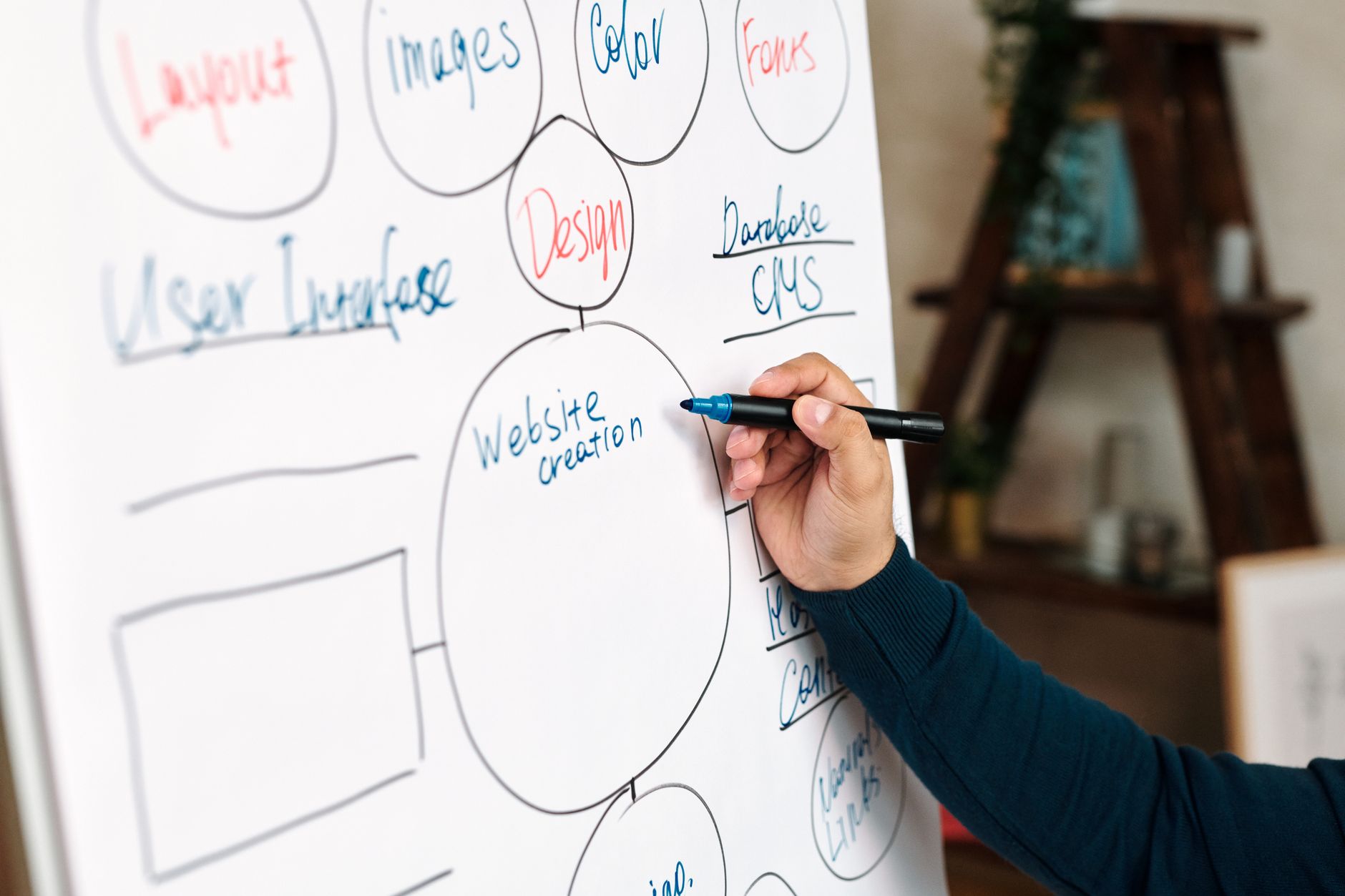
Before you start designing pages, you need a sitemap. A sitemap is a hierarchical diagram of all the pages on your site and how they link together. It’s the architectural plan for your user’s journey.
Start with your main pages at the top level: Home, About, Services, Blog, Contact. Then, map out the sub-pages. For example, under “Services,” you might have “Web Development,” “SEO,” and “Branding.”
This structure directly informs your main navigation menu. The goal is to make it easy for a first-time visitor to find what they’re looking for in three clicks or less. A clear navigation structure isn’t just good for users; search engines like Google also use it to understand the most important content on your site.
5. Design and Build Your Website
Now, you can finally start bringing your vision to life. The process will vary depending on the platform you chose in Step 2.
- If using a Website Builder: Select a template that aligns with your brand and start customizing it. Upload your logo, change the colors and fonts, and add your content to the pre-defined sections. Focus on creating a clean, uncluttered layout.
- If using WordPress: Your first step is to choose a “theme.” A theme is a design template that controls the look and feel of your site. There are thousands of free and premium themes available. Once your theme is installed, you’ll use the built-in editor and plugins to build out your pages. Tools like Elementor or Divi are popular “page builder” plugins that add drag-and-drop functionality to WordPress.
Regardless of the tool, stick to design best practices:
- Visual Hierarchy: Make the most important elements on the page the most prominent.
- White Space: Don’t cram your pages full. Give content room to breathe.
- Readability: Choose clear, legible fonts and ensure high contrast between text and background.
- Mobile-First: Over half of all web traffic comes from mobile devices. Your design must be responsive, meaning it adapts to different screen sizes. A 2023 Statista report highlights that mobile traffic accounts for nearly 60% of website traffic worldwide, so this is non-negotiable.
6. Create and Add Your Content
A great design is useless without compelling content. This is the text, images, and videos that communicate your message and persuade your audience.
Refer back to the scope document from Step 1. Go page by page and write the copy. Your writing should be clear, concise, and focused on the user. Instead of talking about how great your company is, talk about how you solve your customer’s problems.
For images, use high-quality, professional photographs or licensed stock photos. Avoid generic, cheesy stock images that everyone has seen. If you’re selling products, invest in professional product photography. It makes a huge difference.
A website is never “done.” Think of it as a living document that you will continuously update and improve. The goal of the initial launch is to get a “Version 1.0” into the world.
7. Test Everything Before Launch
Before you announce your new site to the world, you need to test it exhaustively. This is a critical step that many beginners skip, often to their regret.
Create a testing checklist:
- Functionality: Do all the links work? Do your forms submit correctly? Does the shopping cart process transactions?
- Browser Compatibility: Test your site on the latest versions of Google Chrome, Firefox, Safari, and Microsoft Edge.
- Device Testing: How does it look and function on different devices? Test on a desktop, a laptop, a tablet (both portrait and landscape), and a smartphone.
- Performance: How quickly does your site load? Use a tool like Google PageSpeed Insights to analyze your site’s speed and get recommendations for improvement. A slow site will frustrate users and hurt your search rankings.
- Proofreading: Read every single word on every single page. Check for typos and grammatical errors. It’s best to have someone else do this, as it’s hard to spot your own mistakes.
8. Launch and Promote Your Website
Once you’ve tested everything and are confident the site is ready, it’s time to launch. This usually involves a few technical steps, like pointing your domain name to your hosting provider and removing any “coming soon” pages. If you used a professional developer, they will handle this. If you built it yourself, your hosting provider’s documentation will have instructions.
Launching is just the beginning. Now you need to get people to visit.
- Submit to Search Engines: While Google will eventually find your site, you can speed up the process by submitting your sitemap via Google Search Console.
- Announce on Social Media: Share your new site on your social media channels.
- Email Marketing: If you have an email list, send out an announcement.
- Content Marketing: Start executing your content strategy. Regularly publishing useful articles on your blog is one of the most effective ways to drive long-term traffic.
Building a website is a rewarding process that can transform your business. It takes planning and effort, but by following these steps, you can create a powerful online presence.
FAQ
How much does it cost to build a website in 2026?
Costs vary dramatically.
How long does it take to build a website?
A simple brochure site can be built in a weekend using a website builder. A more complex WordPress site with 10-15 pages might take 4-8 weeks. Custom development projects, like the kind of e-commerce stores and SaaS platforms we build at Dynareach, typically take 3-6 months or longer, depending on the scope.
What is the difference between a theme and a template?
Though often used interchangeably, “template” usually refers to a pre-designed layout for a single page. A “theme” is a more comprehensive package that controls the entire design of a WordPress site, including colors, fonts, headers, footers, and page templates.
Do I need to know how to code to build a website?
No. For many simple business websites, platforms like WordPress and website builders like Wix allow you to create a professional site with no coding knowledge required. However, knowing some basic HTML and CSS can be very helpful for making small customizations.
What is SEO and do I need it for my new website?
SEO stands for Search Engine Optimization. It’s the practice of optimizing your site to rank higher in search engine results for relevant queries. Yes, you absolutely need it. A website without SEO is like a store with no signs and no roads leading to it. Basic SEO starts with well-written content, a mobile-friendly design, and a clear site structure.
What is the difference between a domain name and hosting?
A domain name is the address people type into their browser to find you (e.g., google.com). Hosting is the service that stores your website files on a server so they can be accessed on the internet. You need both. Think of the domain as the address of your house and hosting as the plot of land it’s built on.
Can I switch my website platform later?
It’s difficult but not impossible. Moving from one website builder to another, or from a builder to WordPress, usually requires rebuilding the site from scratch. You can typically export your content (text and images), but the design and functionality will not transfer. This is why choosing the right platform at the start is so important.