
The most direct way to improve website conversion rates is by systematically identifying and removing friction points in the user journey. This means analyzing user behavior to see where they drop off, forming hypotheses about why, and running A/B tests to validate changes. With an average e-commerce conversion rate of just 2-4%, even minor, data-backed enhancements to user experience, call-to-action clarity, and trust signals can lead to substantial revenue increases. It starts with understanding what a “conversion” even means for your specific business goals.

What is a Website Conversion Rate?
A website conversion rate is the percentage of visitors who complete a desired action out of the total number of visitors. This “desired action” isn’t always a purchase. It can be anything you define as a key objective for your business. The formula is straightforward:
(Number of Conversions / Total Number of Visitors) * 100 = Conversion Rate (%)
For an eCommerce store, the primary conversion is a completed sale. But for a B2B service provider like us, a conversion might be a form submission for a consultation. For our client Wolverine Assemblies, optimizing their site for this exact type of conversion ultimately grew their inbound leads by 400%. Other examples of conversions include:
- Submitting a contact form
- Signing up for a newsletter
- Downloading a white paper or ebook
- Creating an account
- Starting a free trial
- Adding a product to a cart
- Engaging with a chatbot
Defining these micro-conversions is just as important as tracking the final macro-conversion (like a sale). They are steps on the path to becoming a customer and provide crucial data points for optimizing the entire funnel.
Understanding eCommerce Conversion Rates
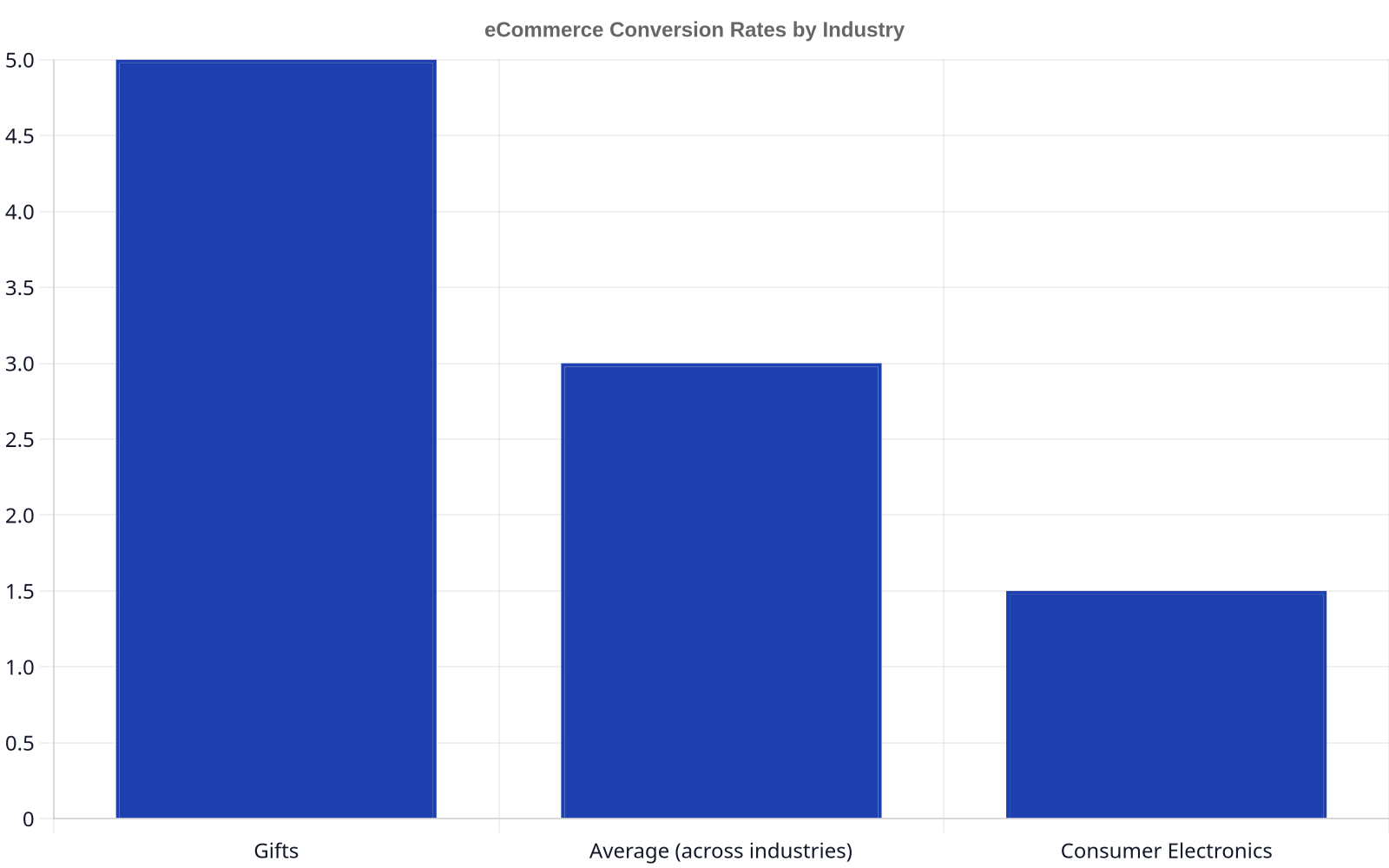
While conversion goals vary, the most commonly discussed benchmarks come from eCommerce. It’s a tough landscape; the average eCommerce conversion rate across industry verticals is only between 2 and 4%. This figure is a useful baseline, but it hides significant variation between sectors. For example, product categories with high gift-giving potential, like specialty foods or flowers, often see higher rates, with gifts representing the higher end at nearly 5% according to Smart Insights. At the other extreme, categories with longer consideration cycles and higher price points, like consumer electronics, are the lowest, at less than 1.5%.
These benchmarks are helpful for context, but obsessing over them is a mistake. Your most important benchmark is your own historical performance. The goal is continuous improvement, not just hitting an arbitrary industry number. A 1.5% conversion rate that grows to 2.0% is a massive success.

How to Improve Website Conversion Rates: The Strategic Framework
Improving conversion rates isn’t about guessing or randomly changing button colors. It’s a systematic process of research, hypothesis, testing, and analysis. In my 12 years in this field, I’ve seen the most sustainable gains come from a structured approach, not from chasing trendy “hacks.”
Step 1: Data Collection and Analysis (The Research Phase)
Before you can fix the leaks, you have to find them. This phase is about gathering quantitative and qualitative data to understand how users actually behave on your site, not how you think they do.
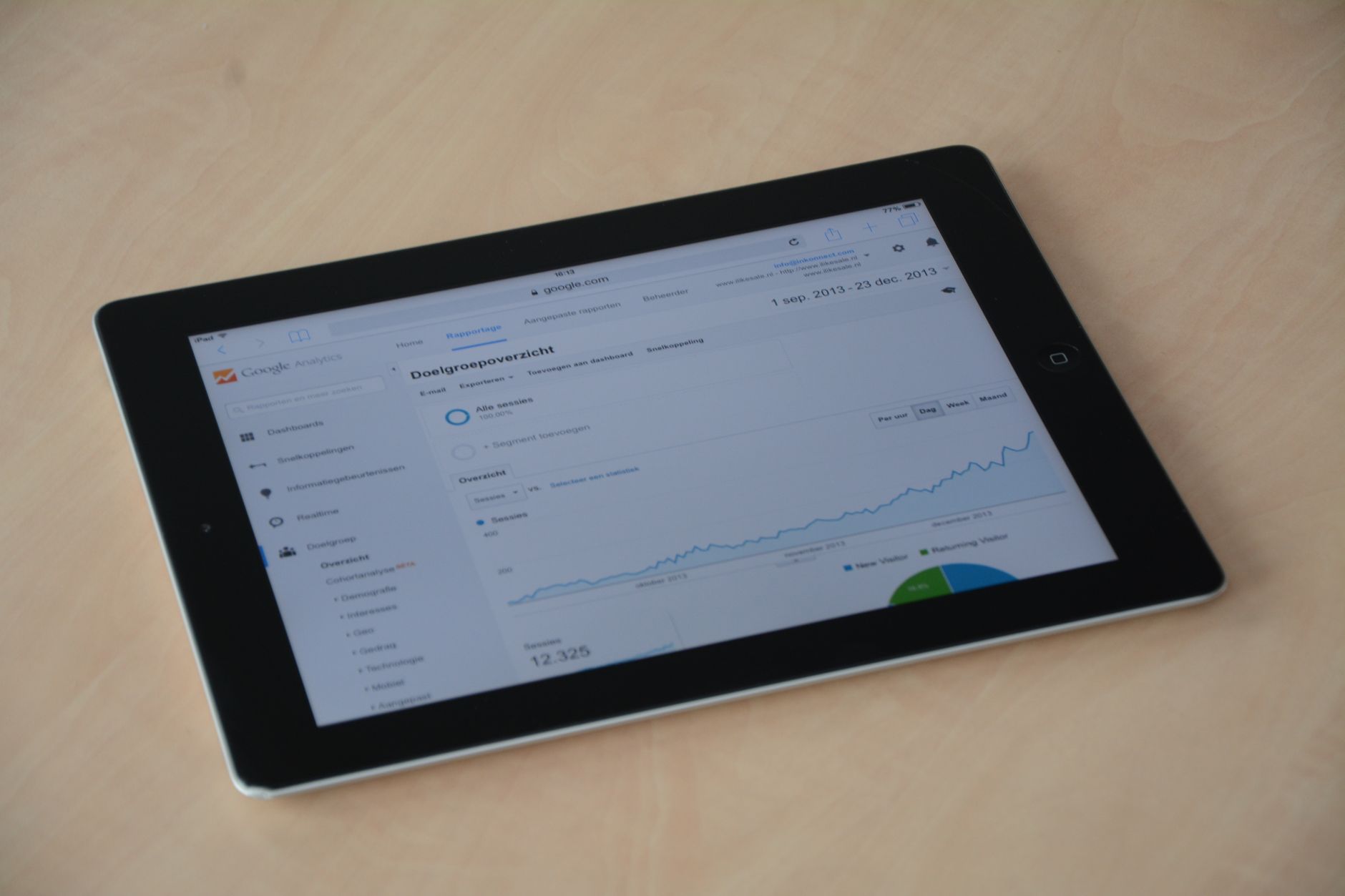
- Quantitative Analysis: This is the “what.” We use tools like Google Analytics to get hard numbers. You need to look beyond sitewide conversion rates and segment your data. Where are users dropping off in your conversion funnel? Is it on the product page? The cart page? The second step of checkout? Identify the pages with the highest exit rates within your key user flows. A deep analysis of user behavior data is the foundation of any successful CRO program.
Qualitative Analysis: This is the “why.” Numbers tell you what is happening, but they don’t tell you why*. Qualitative tools provide that context. Heatmaps from tools like Hotjar or Crazy Egg show where users click, move their mouse, and scroll, revealing which elements get attention and which are ignored. Session recordings let you watch anonymized user sessions to see the exact moments they get stuck, confused, or frustrated. Customer surveys and exit-intent pop-ups can ask users directly why they’re leaving or what prevented them from converting.
Step 2: Forming a Hypothesis
Once you’ve identified a problem area (e.g., “A lot of users are abandoning the cart on the shipping information page”), you need to form a testable hypothesis. A strong hypothesis follows a clear structure:
“Because we observed [Data/Insight], we believe that [Change] will result in [Outcome]. We will measure this by [Metric].”
For example:
- “Because we observed from session recordings that users hesitate and scroll up and down on the checkout page, we believe that adding trust seals like a Norton Secured badge below the ‘Place Order’ button will result in a higher checkout completion rate. We will measure this by tracking the conversion rate of the checkout page.”
- “Because our analytics show a 70% drop-off on product pages for mobile users, we believe that replacing the product description tab with an accordion-style layout that shows all information on one screen will result in more ‘Add to Cart’ clicks. We will measure this by the add-to-cart rate on mobile devices.”
Step 3: Prioritization and A/B Testing
You will likely have dozens of hypotheses. You can’t test them all at once. Prioritization frameworks like the PIE model (Potential, Importance, Ease) help you decide what to test first. Focus on tests that have high potential for impact, affect high-traffic pages, and are relatively easy to implement.
This is where A/B testing (or split testing) comes in. A/B testing is the process of comparing two versions of a web page (the original “control” and the new “variation”) to see which one performs better. Tools like Optimizely, VWO (Visual Website Optimizer), or the built-in Google Optimize allow you to show the control to 50% of your visitors and the variation to the other 50%. The tool then tracks which version leads to more conversions.
Don’t stop a test the second it shows a winner. Let it run until you reach statistical significance, typically 95% or higher. Ending a test too early is one of the most common and costly mistakes in CRO.
Step 4: Learning and Iterating
After a test concludes, you have a result. If your variation won, you implement it for all traffic. If it lost or was inconclusive, you’ve still learned something valuable. You analyze why it might have failed and use that insight to form your next hypothesis. This iterative loop of analysis, hypothesis, and testing is the engine of conversion rate optimization. The goal isn’t just to get a single win; it’s to build a system of continuous improvement.
Key Areas for Conversion Rate Optimization


While the process is universal, certain areas of a website consistently offer the biggest opportunities for improvement. Here’s where to focus your efforts.
User Experience (UX) and Site Navigation
If users can’t find what they’re looking for, they can’t convert. A confusing site structure is a conversion killer. Your navigation should be intuitive and predictable. Use clear, simple labels for your menu items. Avoid jargon. Ensure your site search is fast and accurate, especially for eCommerce sites with large catalogs.
A prime example of bad practice is burying key information, like shipping costs or return policies, deep within FAQ pages. A Baymard Institute study found that unexpected shipping costs are the number one reason for cart abandonment. This information must be upfront.
Call-to-Action (CTA) Optimization
Your Call-to-Action (CTA) button is arguably the most important element on the page. It needs to be visible, compelling, and clear.
- Design: The button should stand out from the rest of the page. Use a contrasting color that draws the eye but still fits your brand palette. Size matters, but bigger isn’t always better. It just needs to be easily tappable on mobile and noticeable on desktop.
- Copy: The text on the button should be action-oriented and specific. Instead of a generic “Submit,” try “Get Your Free Quote” or “Start My 30-Day Trial.” The copy should reflect the user’s motivation and describe what will happen next.
- Placement: Place the primary CTA above the fold where users can see it without scrolling. For longer pages, it’s good practice to repeat the CTA at logical break points and at the end of the page.
Building Trust and Social Proof
People buy from businesses they trust. In an online environment where you can’t meet face-to-face, you have to build that trust digitally. This is where social proof comes in.
- Reviews and Testimonials: Display genuine customer reviews and testimonials prominently. For B2B, detailed case studies with real results are incredibly powerful. This shows that real people have used and benefited from your product or service.
- Security Seals: Displaying trust badges from recognized security companies like Norton, McAfee, or the Better Business Bureau can reassure users that their payment information is safe, especially during checkout.
- Guarantees and Policies: Clearly state your satisfaction guarantees, return policies, and shipping information. Reducing perceived risk is a major factor in the purchase decision.
Checkout and Form Optimization
A long or confusing checkout process is a major source of friction and abandonment. Every field you ask a user to fill out, every step you make them take, is a potential point of failure.
- Reduce Steps: Condense your checkout into as few steps as possible. A one-page checkout is often ideal.
- Offer Guest Checkout: Do not force users to create an account to make a purchase. According to research, mandatory account creation is a significant barrier. Offer a prominent guest checkout option.
- Minimize Form Fields: Only ask for the information you absolutely need to process the order. Do you really need their phone number? Or their date of birth? Every extra field adds friction. Use features like address autocomplete to make it even faster.
- Show Progress: If you have a multi-step checkout, use a progress bar to show users where they are in the process and how many steps are left. This manages expectations and reduces anxiety.
A visitor who has put an item in their cart is not a customer. They are a lead with extremely high intent who is one bad form field away from leaving forever. Treat your checkout process like the million-dollar asset it is.
Personalization and Dynamic Content
A one-size-fits-all website experience is no longer enough. Personalization is about delivering the right content to the right user at the right time. This can range from simple to complex.
- Dynamic Content: For a returning visitor, you can change the homepage banner to reflect their previous browsing history. If they were looking at women’s shoes, show them a banner for a sale on women’s shoes, not men’s jackets.
- Recommendation Engines: For eCommerce, AI-powered recommendation engines that suggest products based on browsing history and past purchases (“Customers who bought this also bought…”) are a proven way to increase average order value and conversions.
- Geotargeting: You can personalize content based on a user’s location, showing them relevant shipping information, local store availability, or even prices in their local currency.
Product Page Excellence: Visuals and Copy
For an eCommerce site, the product page is your digital salesperson. It needs to do the selling for you. This comes down to two things: visuals and descriptions.
- High-Quality Visuals: Users can’t touch or feel your product, so your images and videos have to do the heavy lifting. Use high-resolution images from multiple angles. Include a zoom function. Show the product in use, in context. A 360-degree view can be even better. Product videos are incredibly effective at demonstrating features and benefits.
- Compelling Descriptions: Don’t just list specs. Write product descriptions that speak to your target audience’s pain points and desires. Use bullet points to make key features scannable. Tell a story. What problem does this product solve? How will it make the customer’s life better? This is a core part of the Content Strategy our team at Dynareach develops for clients, ensuring every word serves the goal of conversion.
| Area of Friction | The Wrong Way (High Friction) |
|---|---|
| Checkout | Mandatory account creation, 5 steps, 15 form fields. |
| Shipping Costs | Revealed for the first time on the final payment screen. |
| Site Navigation | Vague labels like “Resources” or “Solutions,” deep menu structure. |
| Product Visuals | One small, low-resolution image per product. |
| Mobile Experience | Desktop site shrinks to fit a small screen, tiny text, hard-to-tap buttons. |
FAQ
What is a good website conversion rate?
A “good” conversion rate is highly contextual. While the average eCommerce rate is 2-4%, a good rate for you is one that is consistently improving. A B2B lead generation site might have a target of 5-10% for form fills, while a blog might be happy with a 1-2% newsletter signup rate. Focus on your own trends and goals rather than generic industry benchmarks.
How long should I run an A/B test?
You should run an A/B test until you reach statistical significance, which is typically a confidence level of 95% or higher. This ensures the results are not due to random chance. The time required depends on your website traffic; a high-traffic site might get a significant result in a few days, while a lower-traffic site may need to run the test for several weeks. Never end a test early just because one version is ahead.
What are the best tools for conversion rate optimization?
There isn’t one “best” tool, but a suite of them. You need Google Analytics for quantitative data. For qualitative insights, you need heatmap and session recording tools like Hotjar or Crazy Egg. For running experiments, you need A/B testing platforms like Google Optimize, Optimizely, or VWO. The right stack depends on your budget, traffic, and technical expertise.
How does website speed affect conversion rates?
Website speed is critical. A slow-loading website creates a poor user experience and directly hurts conversions. Studies from Google and others have repeatedly shown that as page load time increases, the probability of a user bouncing goes up dramatically. Even a one-second delay can lead to a significant drop in conversions. We always recommend our clients invest in making sure they have a fast loading website.
How do I get started with CRO if I have a small budget?
Start with free tools. Install Google Analytics and set up goal tracking. Use free versions of heatmap tools to understand user behavior on your most critical pages. Instead of a paid A/B testing platform, you can use Google Optimize which is a powerful free tool. Focus on high-impact, low-effort changes first. Fix obvious usability issues, clarify your CTAs, and add customer testimonials. You don’t need a massive budget to start making improvements.
Improving your website’s conversion rate is a marathon, not a sprint. It requires a commitment to understanding your users, a disciplined approach to testing, and a culture of continuous improvement. By focusing on removing friction and building trust, you can turn more of your hard-won traffic into meaningful business results. If you’re ready to apply these strategies to your own website, you can schedule a call with our team to get started.